About 0 A.D.
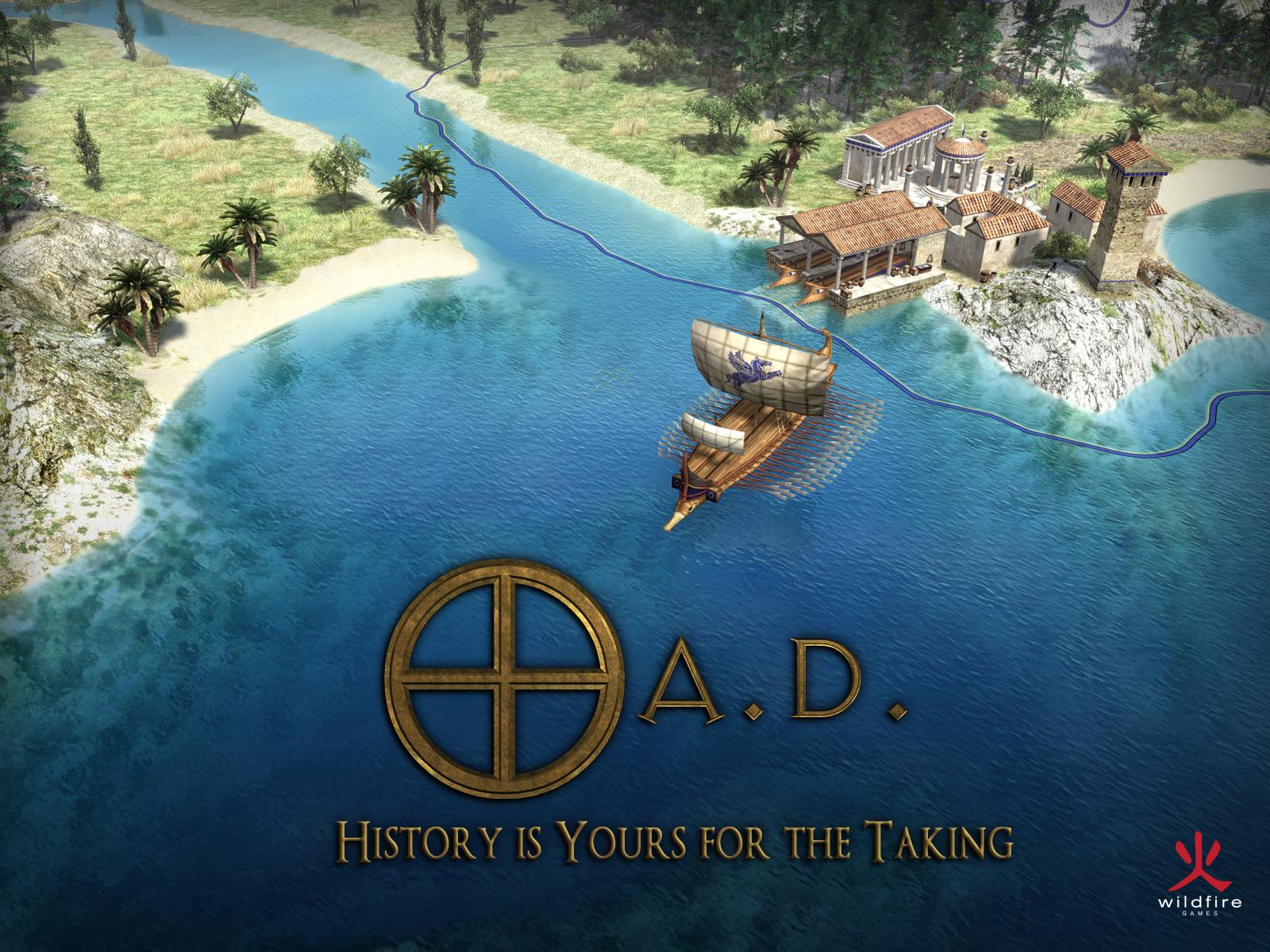
0 A.D. is a real-time strategy game built by Wildfire Games, an international group of contributors. Heading a civilization drawn from antiquity, you plan its growth across a three-dimensional map. Raising a base, collecting resources and defending your units all belong to a single match. In the catalog the title sits within the category of games. This page deals with the Windows edition and its installers for compatible machines, focusing on what the current release needs rather than the requirements of an older version.
Release 28 carries the name Boiorix. It adds a Germanic faction and is the project's first release that drops the Alpha label. That shift does not turn the game into a paid product. The download stays free, with no built-in store and no freemium model. The code and the artwork ship under separate free licenses.
You can practice against an artificial intelligence opponent or join multiplayer matches. Because some units handle economic work as well as combat, your military choices feed straight into your city's production. Buildings, technologies and movements therefore call for steady attention. 0 A.D. suits players who relish this ongoing coordination instead of a string of separate turns. Your settlement and its rivals keep running while you weigh up which task to tackle next.
Keep units productive without leaving the base open
In 0 A.D., the army and the economy are not always distinct concerns. Citizen soldiers can harvest resources and then step into a fight. Sending the whole group to the front therefore affects your production too. Before raising another force, take a look at the tasks already under way. Keep some units free to build and sustain your base's growth. Civilians hold a different place within this setup. Release 28 gives these economic units both male and female models. Their fresh name and look do not imply that every unit now fills the same role or can simply stand in for another in your plan.
Survey the map before growing your settlement
The resources at hand, the access routes and the nearby positions all shape how your city grows. Scout the area before raising a host of buildings. The territory system outlines where you may usually build and shifts as buildings appear or disappear. Exceptions still apply depending on the structure and the faction. The new Germanic faction, for instance, runs a more mobile economy built around wagons and encampments. Get to grips with one civilization before copying the exact same opening onto another. Terrain and the chosen conditions can leave such a routine ill-suited. Keep in mind, too, the distances your working units must cover as you pick where to expand.
Arrange a first match that stays easy to follow
While learning the controls, go for a small encounter instead of a map packed with armies from the outset. Playing against artificial intelligence shows how gathering, construction and recruitment hang together. Look over the map settings and the victory conditions before you begin. Release 28 brings extra options, among them a population limit per team. These reshape the framework of a match but do not override the rules that govern individual units. Return to a configuration you already know so you can compare your choices from one attempt to the next. Spotting what slows your progress or leaves your base exposed is easier when you are not altering every condition at once.
Set up a match on shared rules
The game provides a multiplayer lobby alongside a direct connection by IP address. The latter works well for matches arranged on a local network. Before searching for a game, line up your version and your enabled modifications with the other players. A mismatched set of files can keep a match from running properly. The lobby and the match itself play different parts: in-game communication passes through the host. That host's connection quality therefore counts as well. Ahead of an update, switch off older mods and verify that they work with the new release. Only afterward should you restore the shared configuration you mean to play on together.
Weigh the requirements beyond the download size
Release 28 officially runs on Windows 10 and Windows 11. Its 32-bit and 64-bit installers will not bring back support for Windows 7 or 8.1. The developer cites at least 2 GB of memory and 4 GB of disk space, together with a 3 GHz x86-compatible processor. Those numbers do not guarantee the same performance in every battle. The number of units, the players and the map all weigh on the simulation load. On a modest computer, begin with a small encounter and turn the graphics settings down. Look over your drivers and the required OpenGL support too, rather than pinning any given display problem on the game by itself.
Pick a different pace with The Battle for Wesnoth
Already in the catalog, The Battle for Wesnoth may suit you if you would rather settle your moves turn by turn. It uses a fantasy setting, and its battles play out on a hexagonal grid. 0 A.D., by contrast, blends city development with simultaneous military operations in an ancient setting. The gap thus spans both pace and theme. Weigh the two approaches against the way you like to play, without counting on matching campaigns or units. Read the requirements on each product page as well. The fact that a game is free tells you nothing on its own about how it will behave on an older computer during the match you choose.
Key features
- Build up an ancient city while military clashes unfold at the same time.
- Put citizen soldiers to work first and send them into battle later.
- Pick a civilization that comes with its own buildings and technologies.
- Discover the Germanic faction added in Boiorix.
- Set up matches against an opponent run by artificial intelligence.
- Enter through a lobby or link up directly by IP.
- Define a separate population cap for every team involved.
- Design maps with the Atlas editor bundled with the game.
System requirements
Windows 10/11; x86 32-bit and x64 64-bit installers; 3 GHz x86-compatible processor; 2 GB RAM; 4 GB disk space; OpenGL 2.1 with 128 MB graphics memory; minimum 1024×768 display.
How to install
- Check that your computer runs Windows 10 or 11, then choose the 32-bit or 64-bit installer matching your system.
- Run the downloaded EXE file and continue from the setup wizard's welcome screen.
- Keep the game and data files selected among the components. Source code is optional and is not needed to play.
- Choose the installation directory and Start menu folder, then start copying the files.
- At completion, choose whether to create a desktop shortcut and launch the game, then finish the wizard.