
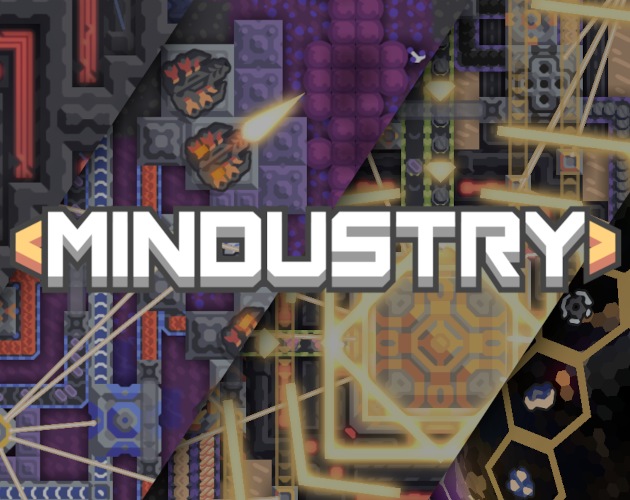
About Mindustry
Mindustry pairs the automated factory with a real-time defense strategy. Designed by Anuke and his contributors, the game invites you to link extraction, processing and transport so as to feed your constructions. A turret does not hold a position for long once the ammunition stops flowing: your organization therefore weighs as much as the number of weapons placed. In the catalog's category for Windows, this title appeals to players who like to study a circuit, locate a break and rebuild a more coherent network. The top-down view makes the flows legible, but multiplying them gradually demands more attention.
The version featured is 160.7, supplied in a 64-bit Windows archive from the developer's itch.io page. This pay-what-you-want distribution stands apart from the paid Steam offer, tied in particular to achievements and Workshop integration. The project code is open under GPLv3. Depending on the mode you pick, you explore the mechanics solo, try out a build or play with others. Do not boil Mindustry down to a mere tower-placement game: the units, the industrial needs and the terrain layout give several reasons to rework a base that already works.
Follow resources to the end of the chain
Begin with a short chain whose every step you have mastered. Connect an extraction point to its recipient, then watch what shifts as consumption climbs. A loaded conveyor does not guarantee that each machine receives the right materials. An intersection, a clogged outlet or too little production can slow the whole network. Before adding a line, work out which resource is genuinely missing. This habit makes the first builds simpler to correct and prepares the complex networks, where supplying the defenses and making construction materials can compete at the same moment.
Build a defense that never runs dry
The position of the weapons, their range and the paths the enemies take all bear on the defense. Supply adds a further constraint: a neat arrangement loses all value once the reserves run out. Draw the needed lines before multiplying the turrets, and leave access to tweak the installations. Keep an eye too on buildings whose loss would cut off several functions, since a local loss can echo far from the battle. To improve, change part of the setup and watch the effect in the next wave: you will better tell apart a lack of firepower, poor coverage and a production stoppage.
Move from learning to a game with others
The game offers several ways to use its systems: campaign progress, experimental builds and network matches. Start with a setting that leaves time to take in the available blocks. In multiplayer, divide the tasks and check the match rules before reorganizing a shared setup. Two people can build effectively together, yet also siphon off the same resource by accident. The client version and the modifications in use must match the server. A public game promises neither the lasting presence of other players nor a style suited to your very first discoveries.
Keep the right Windows distribution
The developer page announces a 64-bit Windows archive of 97 MB for version 160.7. That figure refers to the download, not the total space taken after extraction and the addition of data. Keep the whole extracted folder and launch its executable; the neighboring files are part of the package. The JAR files published on GitHub and the dedicated server serve other ways of launching: do not take the server to play as a client. The Steam distribution has its own terms and store functions. Compare these channels according to whether you want local play or integration with this platform.
Tune a factory to your machine's pace
The effects on screen reflect only part of the work done during a game. Units, production and the scale of the build can shift the load as well. A brisk start on a simple map therefore does not prove that a whole factory will stay as responsive. Test your builds in stages and ease off the visual options if needed. Tell a local slowdown apart from a network issue when you play online. Finally, keep your saves before switching versions or heavily reworking your environment. With no confirmed memory and installed-space figures for this distribution, no minimum is invented here.
Compare games by the kind of decision you want
OpenTTD may suit you if you would rather organize a transport network and its economic operation. It takes on neither the pressure of enemy waves nor the same industrial chains. Warzone 2100 leans more on an army, research and vehicles within a real-time strategy. Freeciv offers a turn-based pace for growing a civilization. These games answer different desires, even though they all call for planning ahead. Mindustry earns its place above all when you want production choices and defense to meet directly in the same base, with material flows you can watch.
Key features
- Production chains with automated routing of resources
- Turrets fed by the materials from your factory
- Campaign progress and trials of the available constructions
- Multiplayer matches, cooperative or competitive depending on the mode
- Map editor to shape your own terrain
- Open source code and community-led development
- Windows distribution delivered in a complete archive
- Units and infrastructure tied to production needs
System requirements
Windows 64-bit; Minimum Windows version, memory and installed space not confirmed for this package.
How to install
- Open the itch.io page of Anuke and choose the Windows 64-bit download of Mindustry.
- Download the Windows archive corresponding to the indicated version; the server is a separate package.
- Extract all ZIP content to a folder where you can keep the game.
- Run the executable from the extracted folder, adjust the controls and start a learning game.