About Terraria
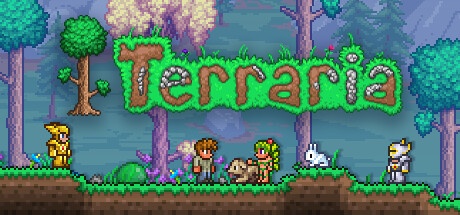
Terraria is a two-dimensional building-and-adventure game made by Re-Logic. You roam a procedurally generated world, gather raw materials and craft gear so you can reach fresh locations and stand up to enemies. This entry in the games category covers the PC edition for Windows. It is meant for players who enjoy switching between a building project, a trip underground and steady progress driven by discoveries and combat, rather than simply working through a list of set missions.
Your character and your world are the two pillars of any playthrough. You kit out your character with the loot you pick up and reshape the landscape to raise shelters, open passages or set up areas built for fighting. The residents you take in unlock further options as you advance. Exploring also carries its share of danger: thinking ahead about lighting, movement and the way back keeps an expedition from unravelling at the very first obstacle.
Terraria can be enjoyed solo or alongside others on PC. To share the same session, every player’s version and any mods have to line up. The base game is paid, while the modding tools form a separate environment worth reviewing before you rely on it. Make duplicates of your characters and worlds before you alter your setup or attempt a migration.
Set up a shelter and tidy storage
Your earliest builds exist to give your foothold in the world some structure. Keep a spot where you can stash resources, craft items and quickly lay hands on whatever you need. By sorting building materials on one side and gear and consumables on the other, you spare yourself from rifling through every chest before a trip. Dwellings meant for residents have to meet the game’s requirements; a plain hole dug into the ground won’t always do. Lean on the on-screen prompts to work out what is missing. A well-ordered base is then easier to expand and lets you pick up an interrupted project without having to arrange everything from scratch.
Keep a way back while exploring caves
Before heading deep underground, bring light and a way to deal with sharp changes in elevation. A fall or a flooded tunnel can turn a quick outing into a drawn-out ordeal. Keep an eye on the map and drop markers so you can find the junctions that matter. An ore vein only pays off if you can carry it back and put it to use. Head back now and then to unload your key finds instead of stretching each trip until your gear gives out. This back-and-forth between exploring and preparing helps you spot the resources you lack and set off with a clear aim, rather than drifting about with no idea what to hold on to.
Put together a consistent combat loadout
Weapons, armour and accessories shape the way you tackle a fight. Weigh up what each one does and settle on a mix that fits how you play. A brand-new weapon won’t, on its own, fix a problem with mobility or terrain. Prepare the spot where you intend to take on a serious foe as well: obstacles, platforms and escape routes all alter how the battle unfolds. After a loss, pin down what held you back before diving in again. You’re better off seeking sturdier protection, a handy accessory or a clearer arena than replaying the same attempt with just one item swapped out.
Tell character saves apart from world saves
Progress in Terraria rests on both the character you use and the world you have open. Hold on to that distinction when you make backups or move to another computer. Copying only one of the two may leave your gear or your builds behind. Ahead of any major change, set aside a full copy of the pieces you need and confirm that they load in the installation you have in mind. Any cloud backups are no substitute for knowing exactly what you are moving. If you’re trying out modified content, don’t gamble your only copy of a world shaped over dozens of hours without a way to roll back.
Settle the shared game before you start digging
To play with friends, agree on the version, the world and any mods you’ll be using. Work out, too, how you’ll divide up valuable resources and large building projects. Since everyone explores at their own speed, one player can set off changes the others never saw coming. A quick word about where things stand keeps you from stumbling into a major event unprepared. The connection and hosting arrangements depend on the approach you pick. Make sure everyone can join the session before you sink time into a character or a content set that doesn’t line up with the group’s.
Weighing it against Minecraft and management games
Minecraft leans on three-dimensional building across editions that come with their own servers and content. Terraria, by contrast, favours a side-on view of the world and progress driven by gear and confrontations. OpenTTD likewise puts building front and centre, though its aim is to arrange transport and an economy. Base your choice on what you feel like doing between projects: combing through caves, reshaping a landscape of blocks or improving a network. These catalogue titles aren’t interchangeable takes on the same experience, even when their screenshots all show spaces the player can transform.
Key features
- Roam procedurally generated worlds in two dimensions.
- Tunnel through passages and gather resources.
- Forge weapons, tools and building components.
- Set up fitting homes for the world’s inhabitants.
- Lay out arenas for taking on bosses.
- Pair weapons and accessories with how far you’ve progressed.
- Team up for a shared adventure with other compatible players.
- Back up your characters and your worlds independently.
System requirements
Steam data: Windows XP to 10 historically listed; RAM 2.5 GB; 200 MB disk; unspecified architecture; Separate current Steam client requirements.
How to install
- Install the official Steam client, then log in to the account that owns Terraria.
- Open the library, select Terraria and choose Install. Check the destination disk and requested space.
- Let Steam download the game and install the required components. Then launch the title from its library.
- Launch Terraria, create a character then a world, choose their settings and start a first local session.